Restoration examples
See what careful digital restoration can change—and what it should preserve
These launch examples use original generated artwork and are clearly labelled. They are not presented as customer photographs or testimonials.
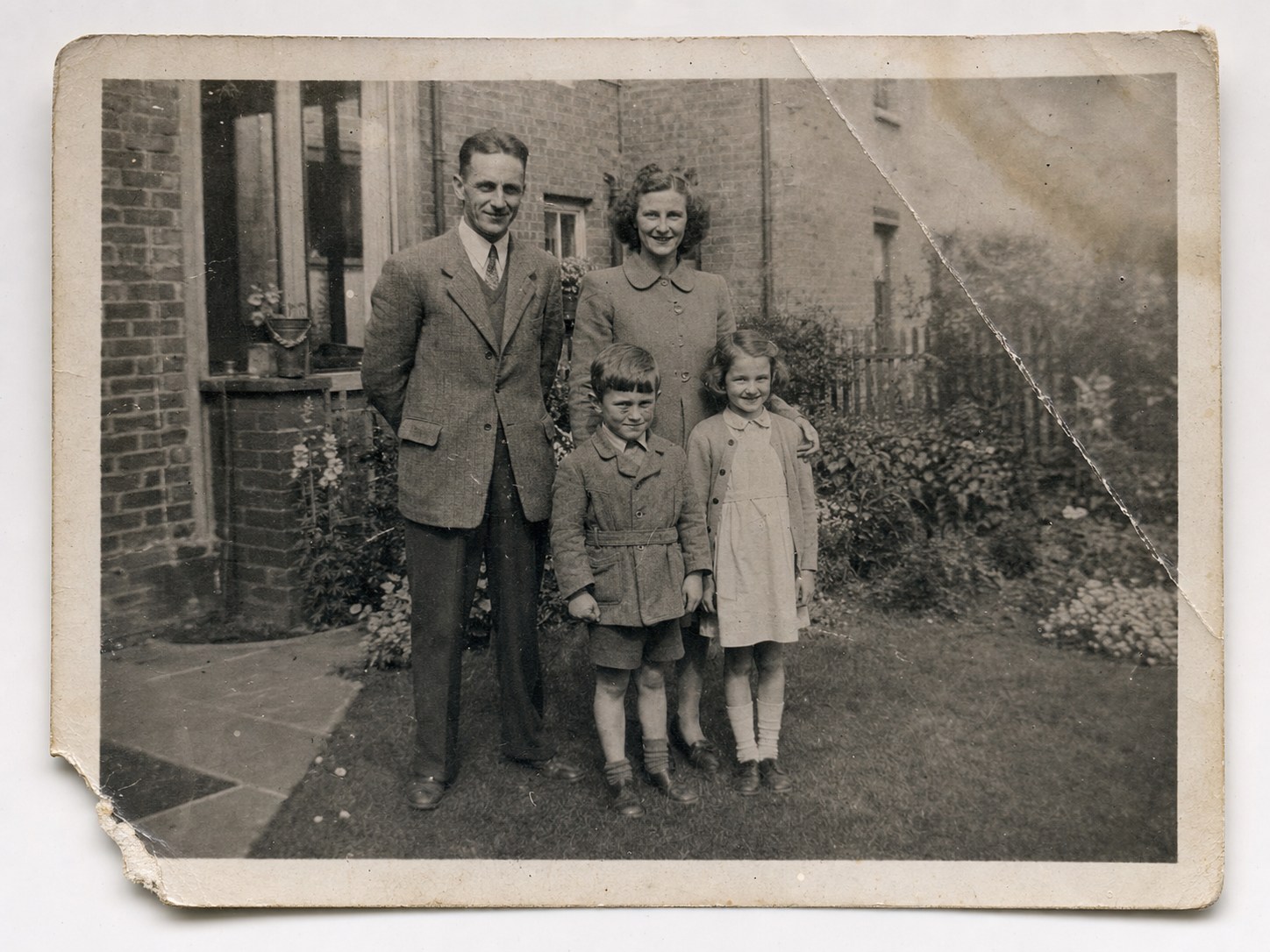
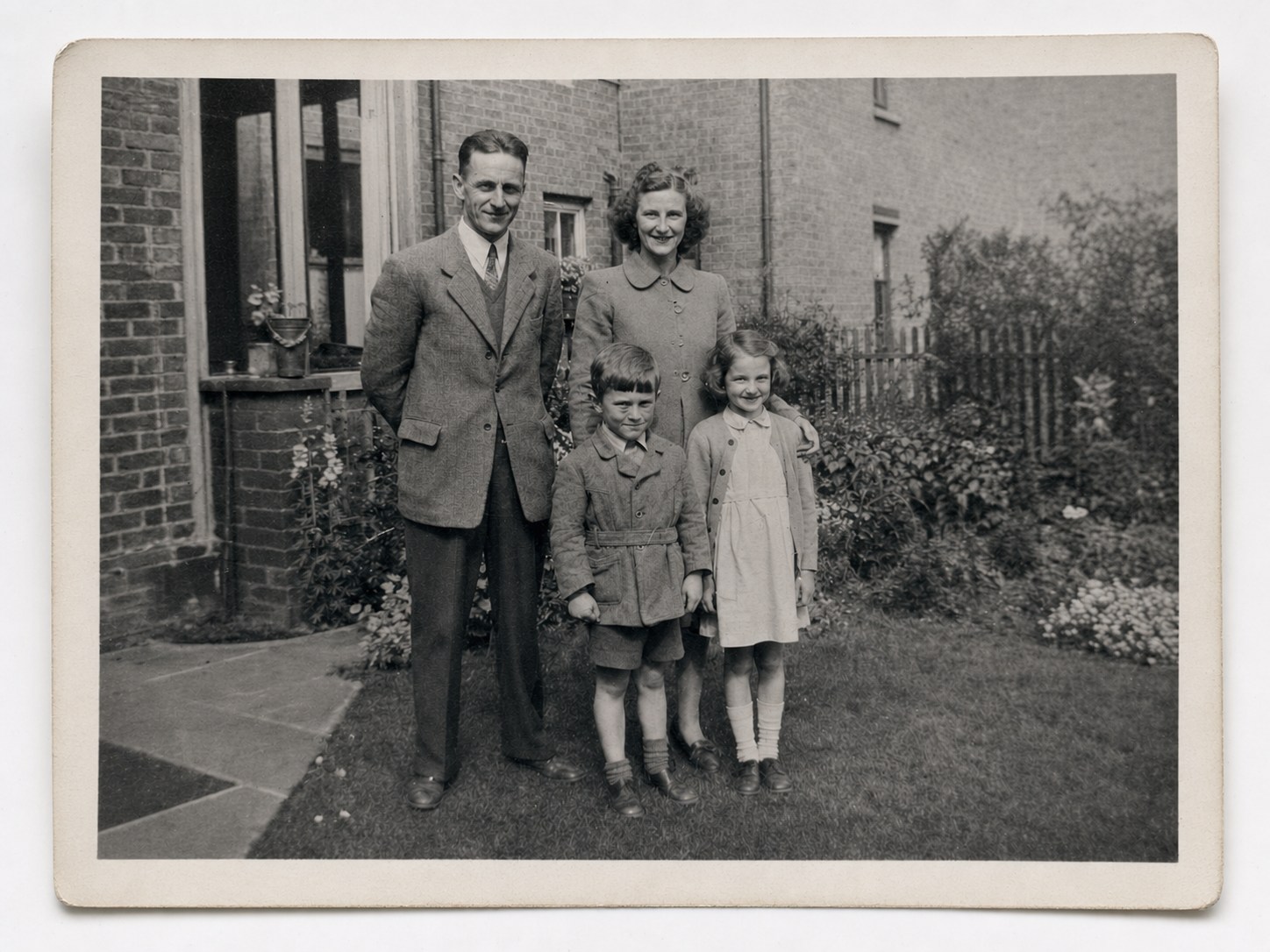
At the start of the control, the generated black-and-white family photograph is creased, faded and torn. At the end, the same photograph is carefully repaired while retaining its period character.
Before
Restored demo
Drag the control, tap a position or use the arrow keys. Both photographs are generated demonstration images.
Generated demonstration 01
Creases, fading and a torn corner
- Large crease and surface marks reduced
- Torn corner reconstructed carefully
- Contrast and fine detail recovered
- Original black-and-white character preserved
Results vary with every source photograph
Clarity depends on the size, focus, contrast and remaining detail in the upload. Severe damage or missing areas can require interpretation; perfect historical or personal accuracy cannot be guaranteed.
A conservative approach
Restore what is there. Respect what cannot be known.
Restoration aims to preserve identity, facial structure, age, expression, clothing, setting, camera angle and composition while reducing dust, scratches, stains, fading and fold marks.
An honest note about severe damage
Where important areas are badly damaged or missing, a digital model may need to interpret details that are no longer visible. Those details cannot be guaranteed to be historically or personally exact.
Perfect accuracy is never promised. If an output appears to change identity or important characteristics, it should be reviewed rather than treated as a faithful record.
Restoration with restrained colour
Add natural-looking colour without pretending it is historical fact.
Careful colourisation draws on visible tones, period context and scene details while preserving the people, place and character of the photograph.
Colourisation is an informed interpretation. The original colours cannot be known or guaranteed, so the restored black-and-white version is retained separately.
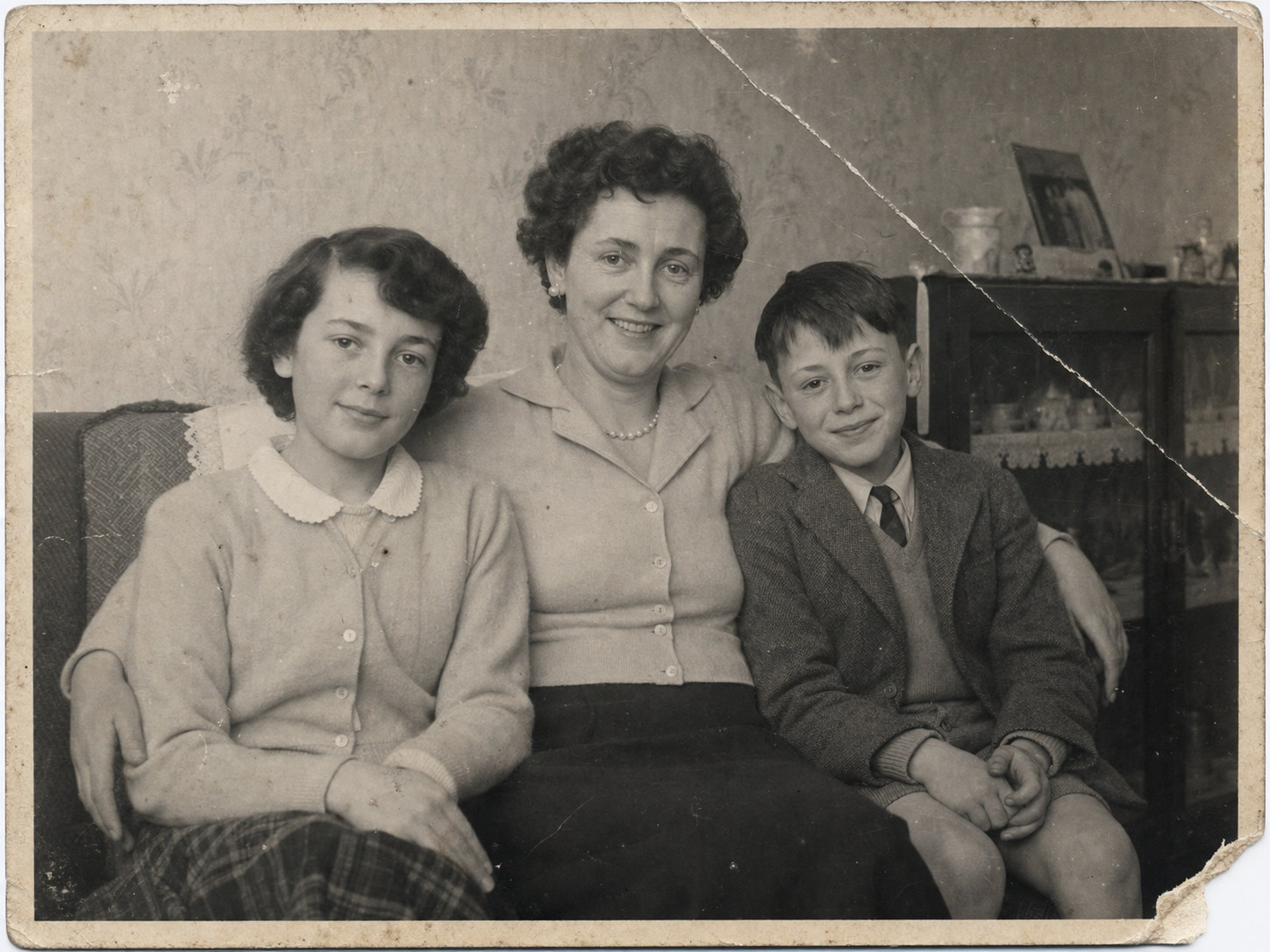
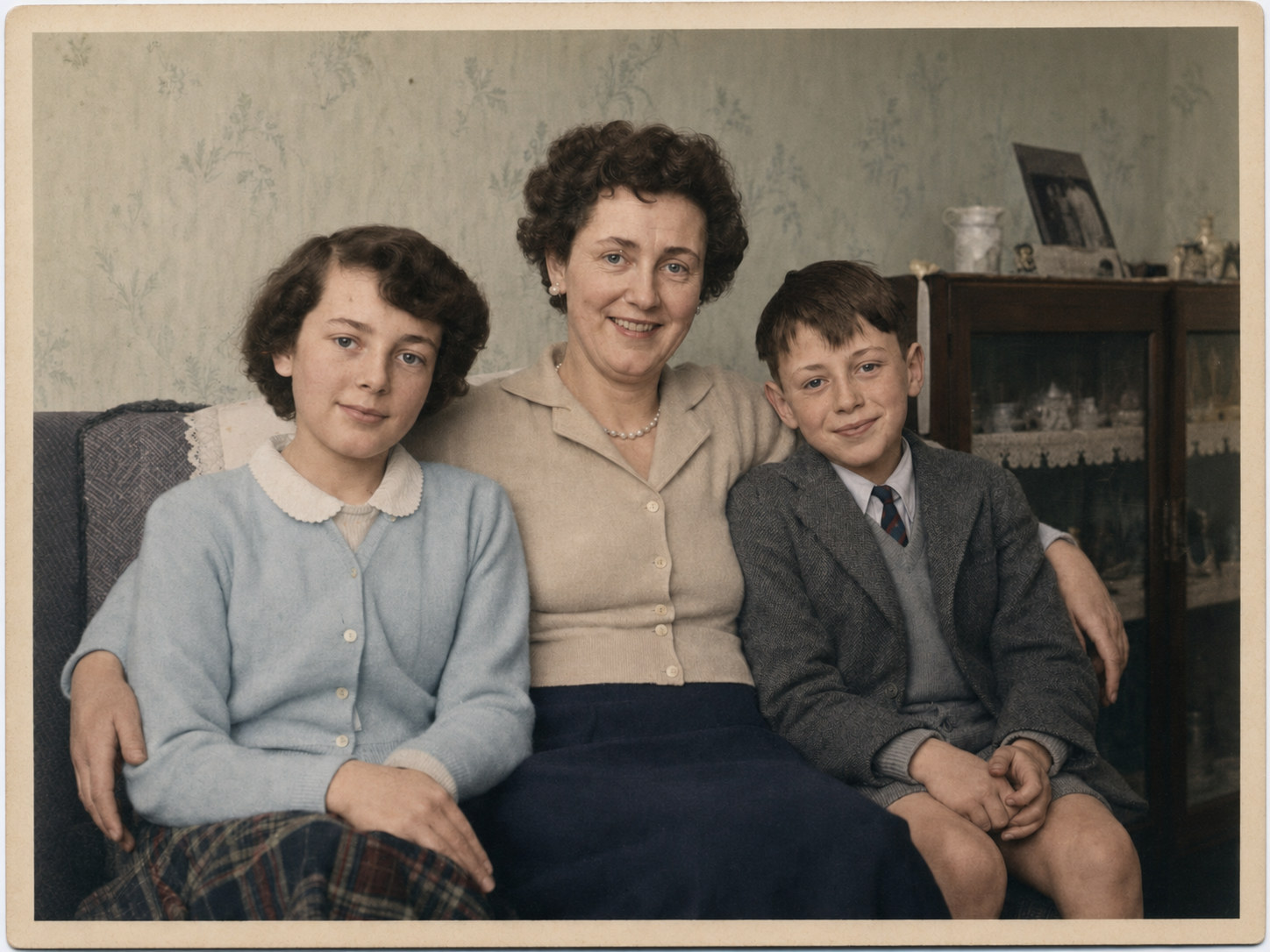
At the start of the control, the generated black-and-white family photograph has a diagonal fold, fading, scratches and a torn corner. At the end, the same photograph is repaired and gently colourised using an informed interpretation; its original colours cannot be guaranteed.
Before
Restored + colourised
Drag the control, tap a position or use the arrow keys. Colourisation is an informed interpretation; original colours cannot be guaranteed.
A photograph is a small piece of family history
Preserve one that deserves another look.
Choose a photograph, select the level of restoration and let the guided process take care of the rest.